SaaS & Startups
SaaS Features Users Actually Pay For
By Yahya Saeed · 4 min read · 59 views
SaaS Features Users Actually Pay For
One of the biggest mistakes SaaS founders make is believing that more features automatically create more value.
They don't.
Many successful software products have fewer features than their competitors.
Yet they earn more customers.
More subscriptions.
And higher profits.
Why?
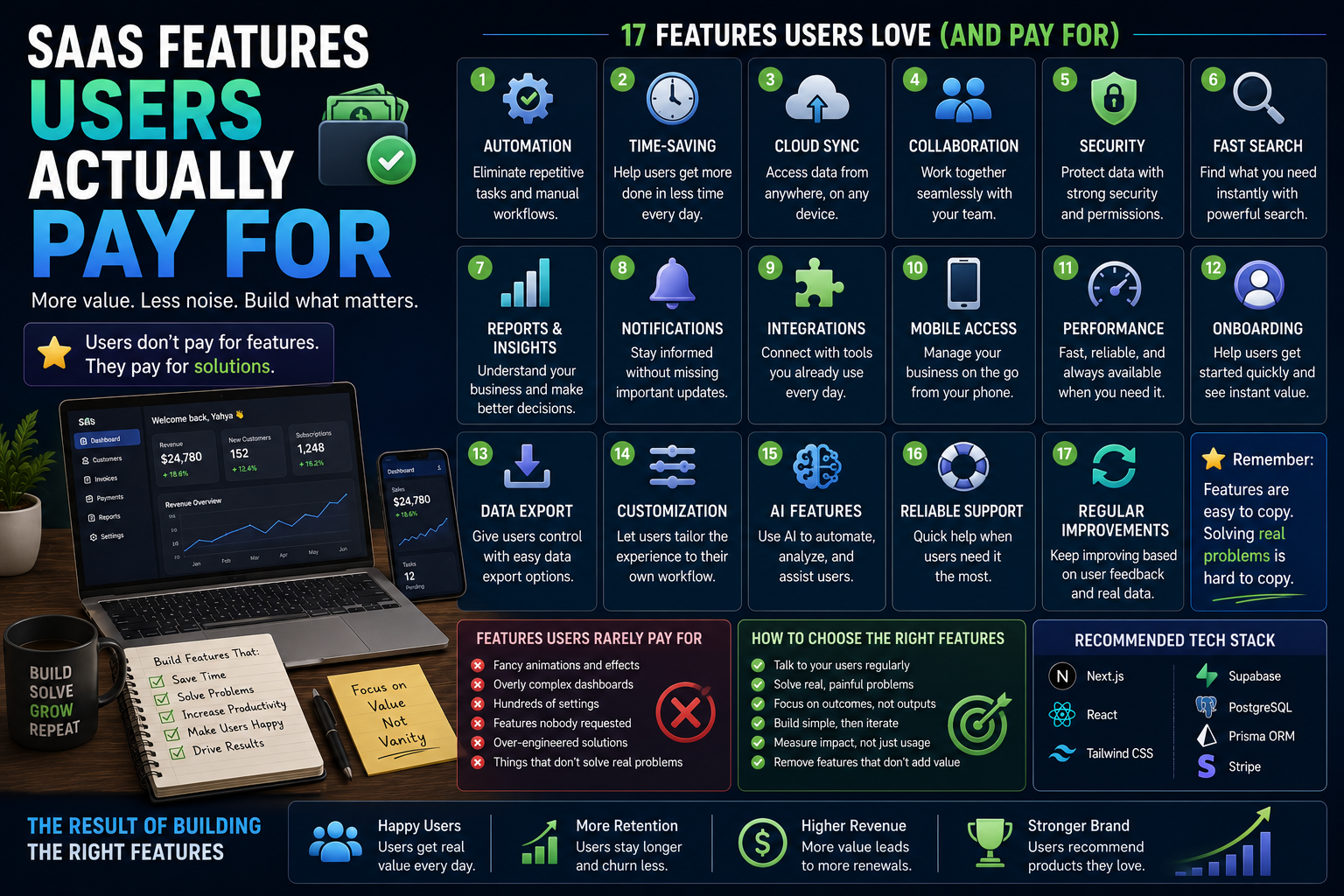
Because users don't pay for features.
They pay for solutions.
Every feature should help users save time, save money, increase productivity, or reduce frustration.
If it doesn't, it probably isn't worth building.
Let's explore the kinds of SaaS features customers actually pay for in 2026.
The Biggest Misconception
Many developers think users want:
AI everywhere
Complex dashboards
Hundreds of settings
Advanced analytics
Endless customization
Sometimes they do.
But only after the product solves their core problem.
Without value, extra features simply become distractions.
Solve One Important Problem First
Before adding new functionality, ask:
Does this feature help users solve their biggest problem?
If the answer is no, reconsider building it.
Successful SaaS products usually become popular because they solve one problem exceptionally well before expanding.
Automation
People happily pay to eliminate repetitive work.
Automation saves:
Time
Effort
Mistakes
Money
Popular automation features include:
Invoice generation
Payment reminders
Email automation
Report generation
Task scheduling
Workflow automation
If your software removes manual work, customers immediately recognize its value.
Time-Saving Features
Saving five minutes every day may not sound impressive.
Across an entire year, however, it represents dozens of hours.
Features that save time include:
One-click actions
Bulk editing
Quick search
Keyboard shortcuts
Templates
Smart suggestions
Time is one of the most valuable things your users have.
Cloud Synchronization
Modern users expect their data everywhere.
Whether they switch between:
Laptop
Desktop
Tablet
Smartphone
their information should remain synchronized automatically.
Reliable cloud sync has become a standard expectation for professional software.
Collaboration
Many businesses work in teams.
Useful collaboration features include:
Shared workspaces
Team permissions
Comments
Activity history
Mentions
Shared projects
These features become increasingly valuable as businesses grow.
Security
Businesses trust your SaaS with valuable information.
Strong security builds confidence.
Important security features include:
Two-factor authentication
Secure authentication
Encryption
Activity logs
Role-based permissions
Backup systems
Security isn't just a technical requirement.
It's a selling point.
Fast Search
Nobody enjoys digging through hundreds of records.
Fast search dramatically improves productivity.
Allow users to search by:
Name
Email
ID
Tags
Status
Date
Keywords
Good search often becomes one of the most frequently used features.
Reports and Insights
Businesses want to understand what's happening.
Useful reports include:
Revenue
Expenses
Sales
Customer activity
Growth
Trends
Focus on reports that help users make better decisions.
Avoid overwhelming them with unnecessary charts.
Notifications
Good notifications keep users informed without becoming annoying.
Examples include:
Payment received
Subscription renewal
Task assigned
Low inventory
Upcoming appointments
Failed transactions
Relevant notifications improve engagement and reduce missed actions.
Integrations
Businesses rarely use just one tool.
Integrating with popular platforms increases the value of your SaaS.
Examples include:
Google Calendar
Slack
Stripe
Zoom
Zapier
Gmail
Microsoft Teams
Integrations save users from repetitive work and manual data entry.
Mobile Access
Many users work away from their desks.
A mobile app or responsive interface allows them to:
Check reports
Update records
Respond to customers
Track progress
Receive notifications
Convenience increases product value.
Reliable Performance
Performance isn't a feature users notice.
Until it becomes slow.
Fast software creates trust.
Focus on:
Fast loading
Smooth navigation
Reliable uptime
Quick searches
Responsive interactions
Users often choose fast software over feature-rich software.
Excellent Onboarding
Even powerful software becomes useless if users don't know how to use it.
Good onboarding includes:
Product tours
Sample data
Helpful tips
Clear setup instructions
Progress indicators
Helping users succeed quickly increases retention.
Data Export
Businesses want control over their information.
Allow users to export their data in formats such as:
CSV
Excel
PDF
Data ownership builds trust and reduces concerns about vendor lock-in.
Customization
Users appreciate software that adapts to their workflow.
Useful customization options include:
Themes
Dashboards
Notifications
Workspaces
Branding
Preferences
However, avoid overwhelming users with excessive configuration.
AI Features That Add Real Value
Artificial intelligence should solve problems not simply exist for marketing.
Useful AI features include:
Content generation
Meeting summaries
Smart search
Data analysis
Auto-categorization
Writing assistance
Customer support
If AI saves users meaningful time, they'll gladly pay for it.
Features Users Rarely Pay For
Some features sound impressive but rarely influence purchasing decisions.
Examples include:
Fancy animations
Overly complex dashboards
Hundreds of settings
Decorative visual effects
Features nobody requested
These additions often increase development time without increasing revenue.
Prioritize Features Using Customer Feedback
Instead of guessing what to build next, ask your users.
Questions like these provide valuable insights:
What slows you down?
Which task takes the longest?
What feature would save the most time?
What do you wish your current software could do?
Customer feedback should guide your roadmap.
Build Features That Support Your Business Model
Every feature should contribute to one of these goals:
Acquire users
Retain customers
Increase revenue
Improve user satisfaction
Reduce support requests
If a feature supports none of these, reconsider whether it's necessary.
A Simple Feature Checklist
Before building a feature, ask yourself:
Does it solve a real problem?
Has a customer requested it?
Will people pay for it?
Does it save time or money?
Is it simple to use?
Does it align with our product vision?
If most answers are yes, it's probably worth building.
Recommended Tech Stack
To build modern SaaS products in 2026, I'd recommend:
Frontend
Next.js
React
Tailwind CSS
Backend
Next.js Server Actions
Node.js
Database
PostgreSQL
Prisma ORM
Backend Services
Supabase
Authentication
Better Auth
Payments
Stripe
Deployment
Vercel
A reliable stack lets you spend more time improving features that matter instead of maintaining infrastructure.
Final Thoughts
The best SaaS products don't win by having the longest feature list.
They win by solving meaningful problems better than anyone else.
Every feature should have a purpose.
It should save time, reduce effort, improve decision-making, or help users achieve their goals faster.
When you focus on building features that customers genuinely value and ignore distractions that only add complexity you create software people are happy to use and willing to pay for month after month.
Remember, customers don't subscribe because your product has more features.
They subscribe because your product makes their work easier.
Keep reading
Related Posts
Web Development
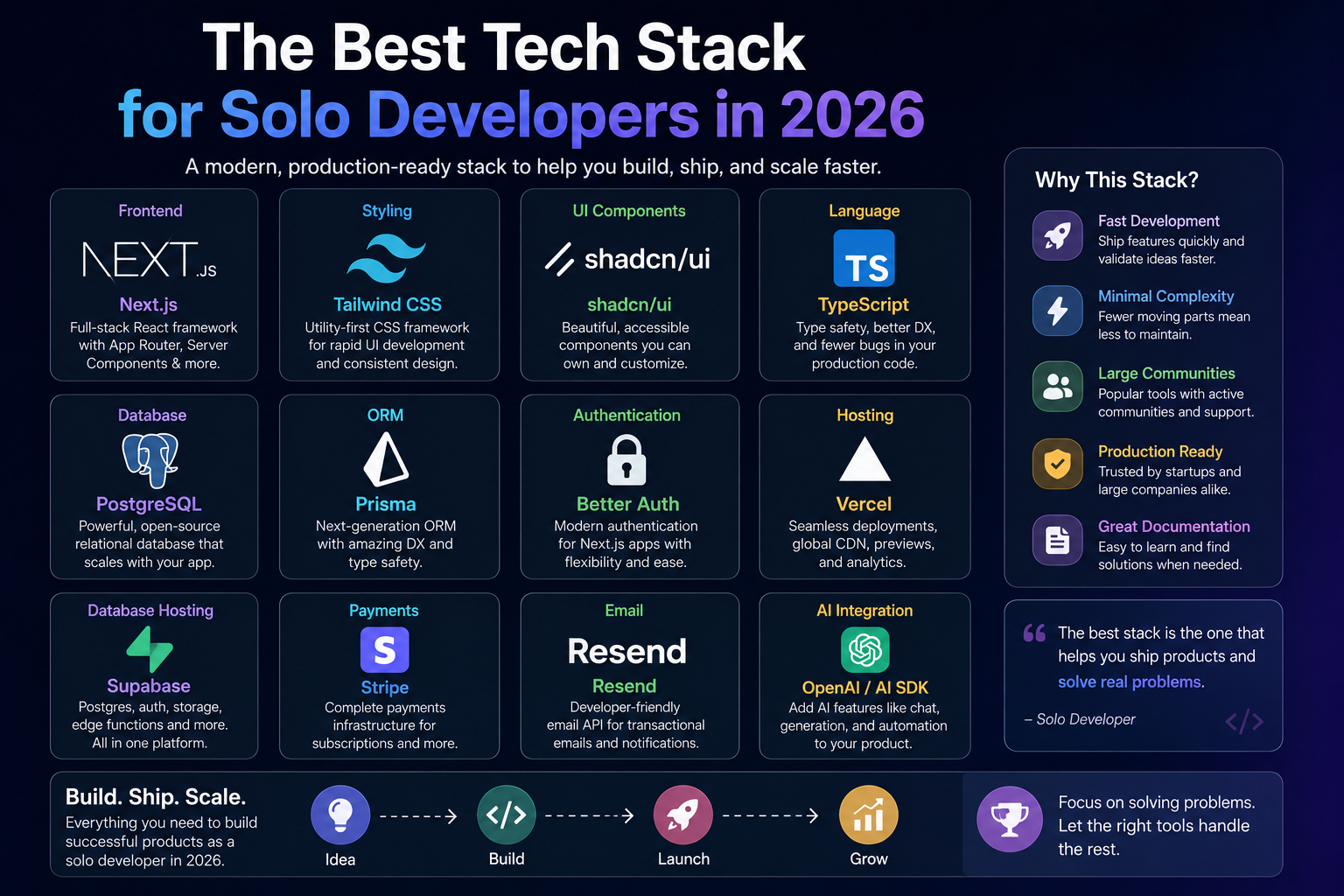
The Best Tech Stack for Solo Developers in 2026
Choosing the right tech stack can make or break a project—especially when you're building alone. As a solo developer, you need tools that help you move fast, stay productive, and scale without unnecessary complexity. Here's the tech stack I believe offers the best balance of speed, simplicity, and power in 2026.
4 min read · 114 views
AI & SaaS
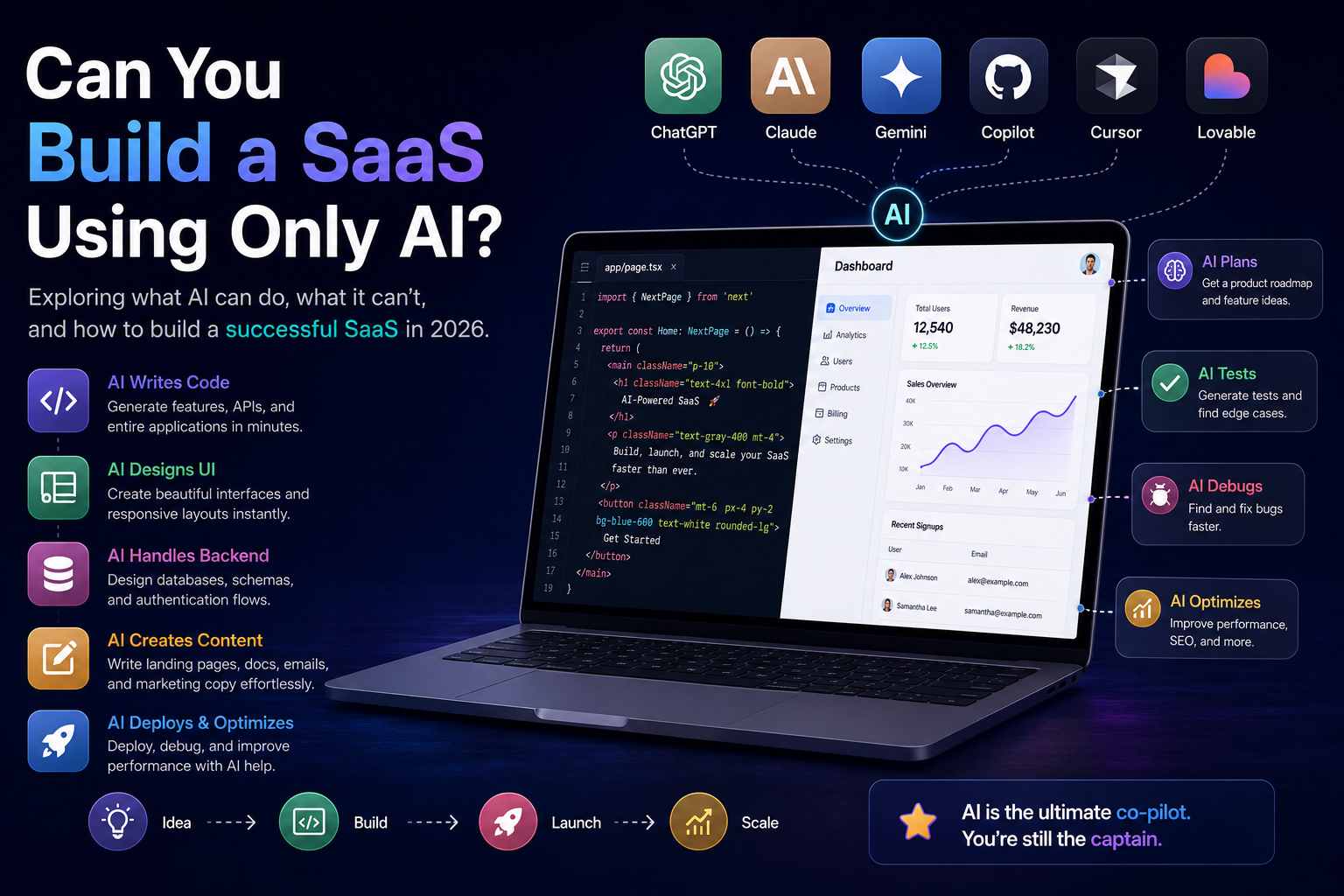
Can You Build a SaaS Using Only AI in 2026? The Honest Answer
AI can write code, design interfaces, generate content, and even help deploy applications. But can it build an entire SaaS business by itself? Let's separate hype from reality and explore what AI can—and cannot—do when building a modern SaaS product.
4 min read · 103 views
SaaS & Entrepreneurship
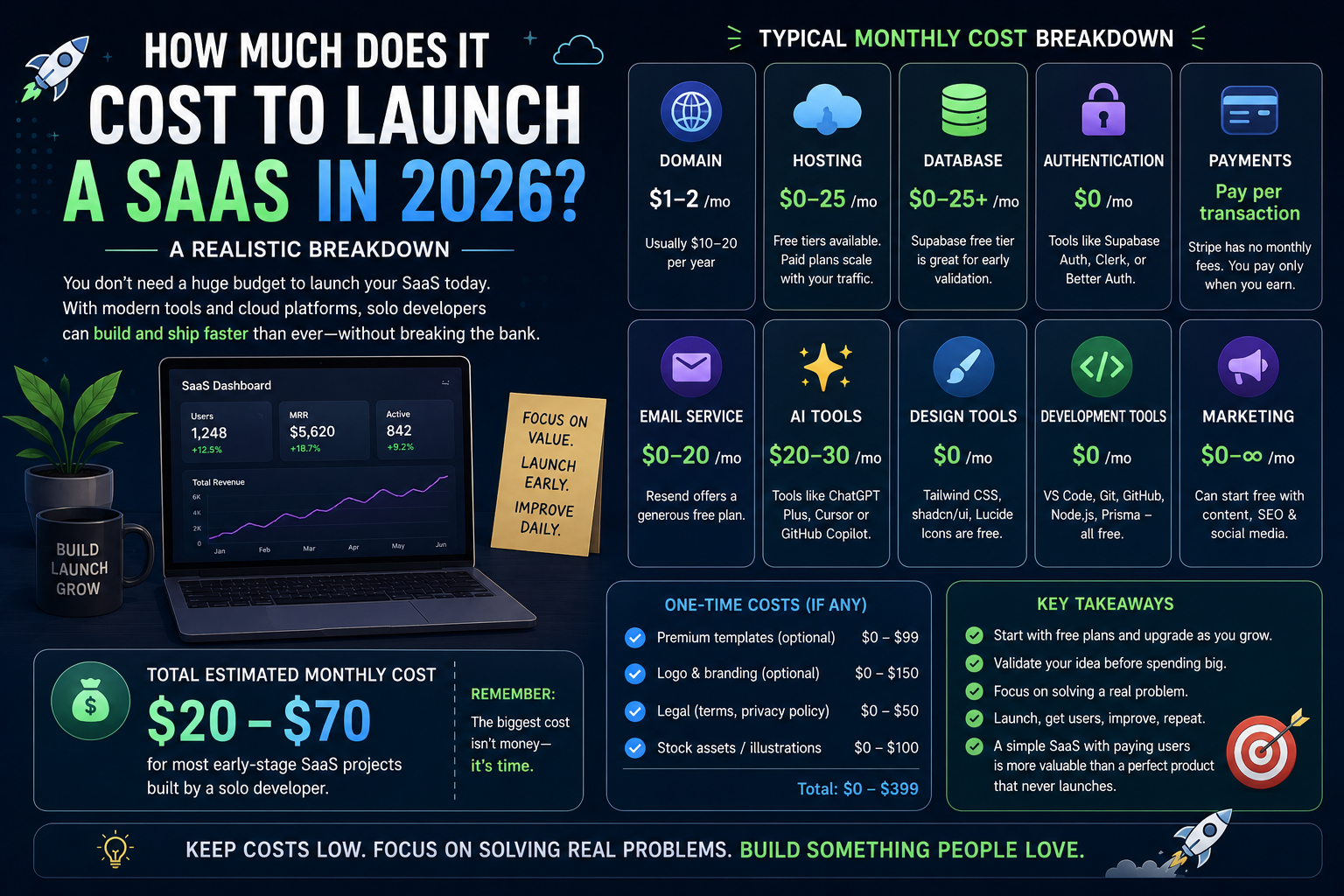
How Much Does It Cost to Launch a SaaS in 2026? A Realistic Breakdown
Launching a SaaS no longer requires hundreds of thousands of dollars. Thanks to modern frameworks, cloud platforms, and AI-powered tools, solo developers can build and launch professional software products on surprisingly small budgets. Here's a realistic look at what it actually costs to launch a SaaS in 2026.
4 min read · 101 views
Trending
Popular Posts
Productivity Tools That Save Developers Hours in 2026
681 views
The Most Valuable Skills to Learn in the AI Era (2026 and Beyond)
331 views
Vibe Coding vs Learning to Code: Which Path Will Take You Further?
277 views
Next.js 16 Features Every Developer Should Know in 2026
192 views
The Best Folder Structure for Next.js Projects in 2026
152 views
Comments
No approved comments yet.