SaaS & Entrepreneurship
How Much Does It Cost to Launch a SaaS in 2026? A Realistic Breakdown
By Yahya Saeed · 4 min read · 102 views
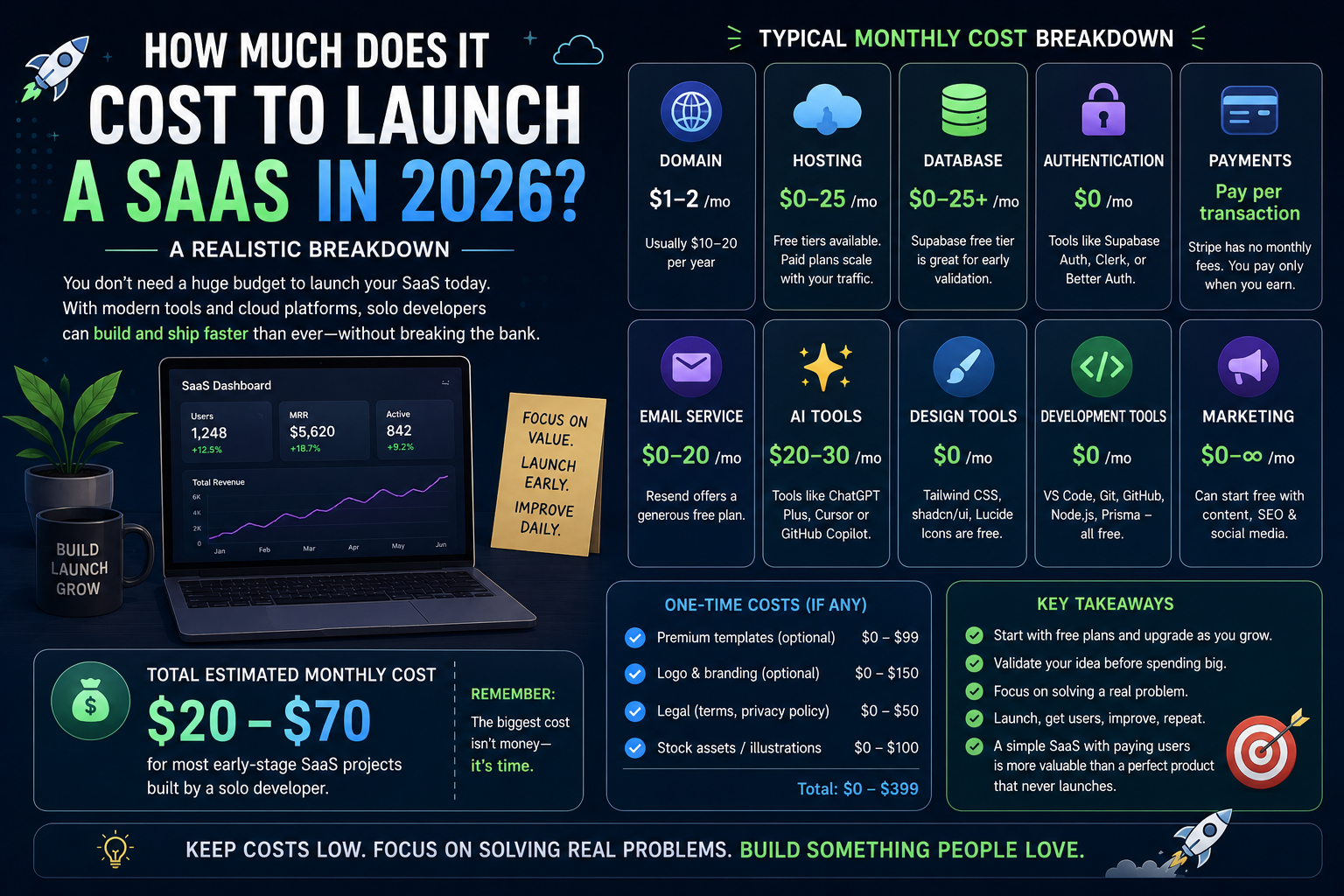
How Much Does It Cost to Launch a SaaS in 2026? A Realistic Breakdown
Ten years ago, launching a software company was expensive.
You needed:
Developers
Designers
Servers
Database administrators
Marketing teams
Office space
Today, things are very different.
A single developer with the right tools can build and launch a professional SaaS product from home.
The biggest question is no longer:
"Can I build it?"
Instead, it's:
"How much will it actually cost?"
The answer might surprise you.
The Good News
Modern development has become dramatically cheaper.
Thanks to platforms like:
Next.js
Supabase
Vercel
GitHub
Stripe
AI coding assistants
many developers can launch their first SaaS without spending thousands of dollars.
In fact, many successful products begin with less than the cost of a monthly gym membership.
Domain Name
Every SaaS needs a domain.
Typical cost:
$10–20 per year
A memorable domain builds credibility and makes your product easier to share.
Don't overthink the name.
Focus on solving a real problem.
Hosting
Modern hosting platforms offer generous free plans.
Popular options include:
Vercel
Netlify
Cloudflare Pages
Most early-stage SaaS products can launch on free hosting.
Once traffic grows, paid plans generally start around:
$20–25 per month
For most solo founders, that's more than enough.
Database
Your application needs a reliable database.
Platforms like Supabase provide:
PostgreSQL
Authentication
File Storage
Realtime features
Many SaaS products can run comfortably on the free tier while validating their idea.
When upgrading, expect:
$25+ per month
depending on usage.
Authentication
Years ago, authentication required significant development effort.
Today, tools like Better Auth, Clerk, Supabase Auth, and Auth.js make implementation much easier.
Many offer generous free plans.
Initial cost:
$0
until your application grows.
Payments
If you're selling subscriptions, you'll likely use Stripe.
Stripe doesn't charge a monthly fee.
Instead, it takes a percentage of each successful payment.
That means:
No customers = No payment processing fees.
This makes it ideal for startups.
Email Services
You'll probably need emails for:
Account verification
Password resets
Notifications
Services like Resend offer generous free usage.
Paid plans usually begin around:
$20 per month
if your email volume increases.
AI Tools
Many developers now include AI in their workflow.
Examples include:
ChatGPT
Claude
Cursor
GitHub Copilot
These aren't required.
But they can significantly increase productivity.
Typical monthly cost:
$20–30
Think of AI as an investment in development speed.
Design
You don't need to hire a professional designer immediately.
Excellent resources include:
shadcn/ui
Tailwind CSS
Heroicons
Lucide Icons
These tools allow developers to create modern interfaces without large design budgets.
Cost:
Free
Development Software
The core tools many developers use are free.
Examples include:
VS Code
Git
GitHub
Node.js
PostgreSQL
Prisma
You can build an entire SaaS without purchasing expensive software licenses.
Marketing
Here's where many founders underestimate costs.
Building software is only half the journey.
People need to discover your product.
Marketing methods include:
SEO
Blogging
Social media
YouTube
Paid advertising
Email newsletters
The good news is that content marketing can begin with almost no financial investment.
The bad news is that it requires consistency.
The Hidden Cost
The biggest expense isn't money.
It's time.
Many developers spend months perfecting features before showing the product to users.
That's often a mistake.
Launch early.
Collect feedback.
Improve continuously.
Time is your most valuable resource.
When Should You Start Paying?
One of the biggest advantages of modern cloud platforms is scalability.
You don't need expensive infrastructure on day one.
Start with free plans.
Upgrade only when your users require it.
This keeps costs low while reducing financial risk.
Don't Spend Too Much Too Early
Many first-time founders buy:
Premium templates
Expensive APIs
Enterprise hosting
Multiple subscriptions
before they have a single customer.
Avoid this.
Validate your idea first.
Revenue should pay for growth—not the other way around.
My Recommended Stack
If I were launching a SaaS today, I'd use:
Next.js
Tailwind CSS
PostgreSQL
Prisma
Supabase
Vercel
Stripe
Better Auth
This stack is modern, scalable, and affordable.
More importantly, it lets you focus on building rather than managing infrastructure.
Is It Worth the Investment?
If your goal is building a long-term software business, absolutely.
Even if your first SaaS doesn't succeed, you'll gain valuable experience in:
Product development
Databases
Authentication
Payments
Marketing
Customer support
Those skills compound over time.
Final Thoughts
Launching a SaaS in 2026 is more affordable than ever before.
Modern frameworks, cloud platforms, and AI tools have dramatically lowered the barrier to entry.
The biggest challenge is no longer raising enough money to build software.
It's building something people genuinely want.
Start small.
Keep your costs low.
Listen to your users.
And remember:
A simple SaaS with paying customers is far more valuable than a perfect product that never launches.
Keep reading
Related Posts
Developer Tools
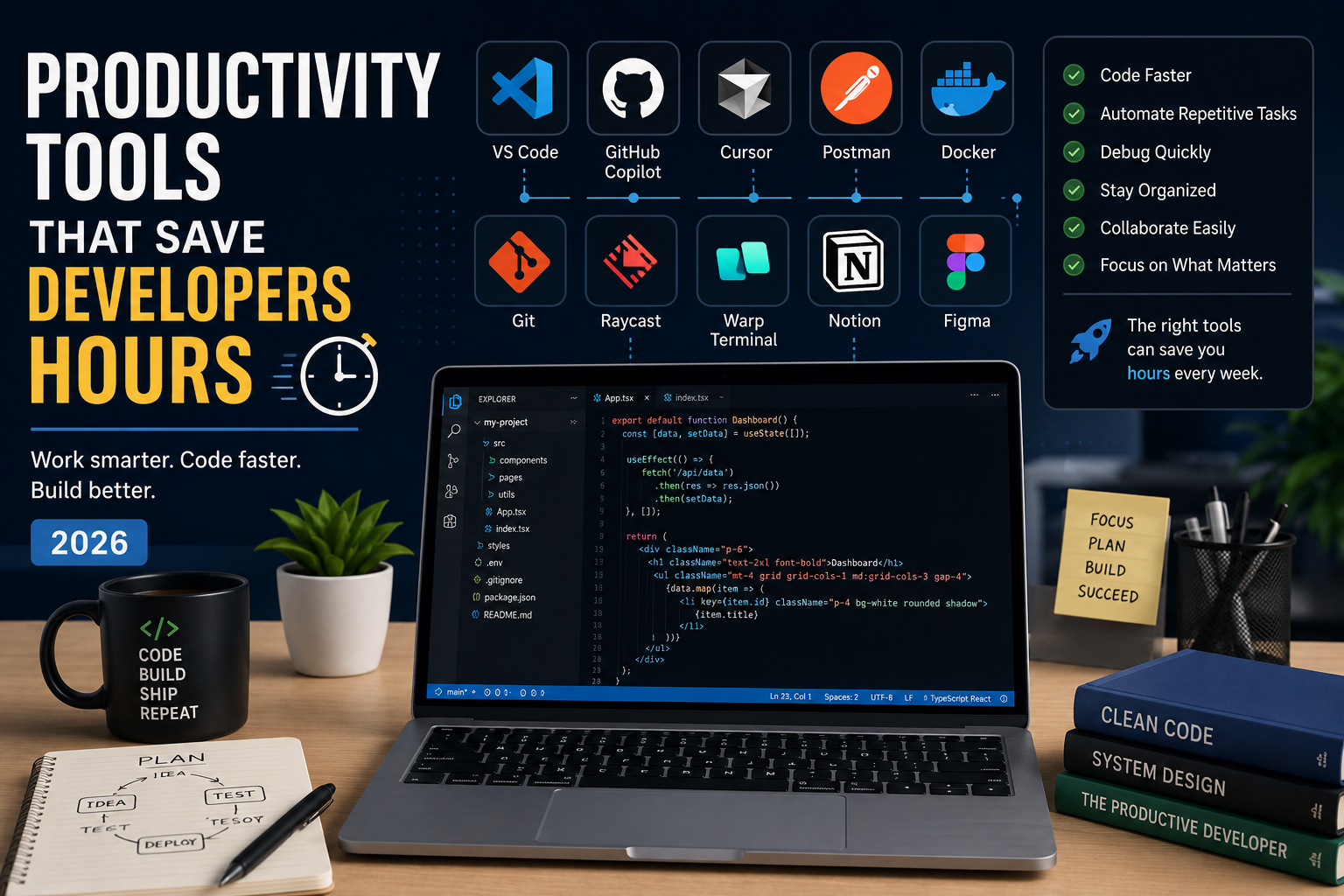
Productivity Tools That Save Developers Hours in 2026
The best developers aren't just fast—they use the right tools. From AI coding assistants to terminal upgrades and API testing platforms, these productivity tools can save developers hours every week and help them focus on building great software instead of repetitive tasks.
4 min read · 681 views
Career & Technology
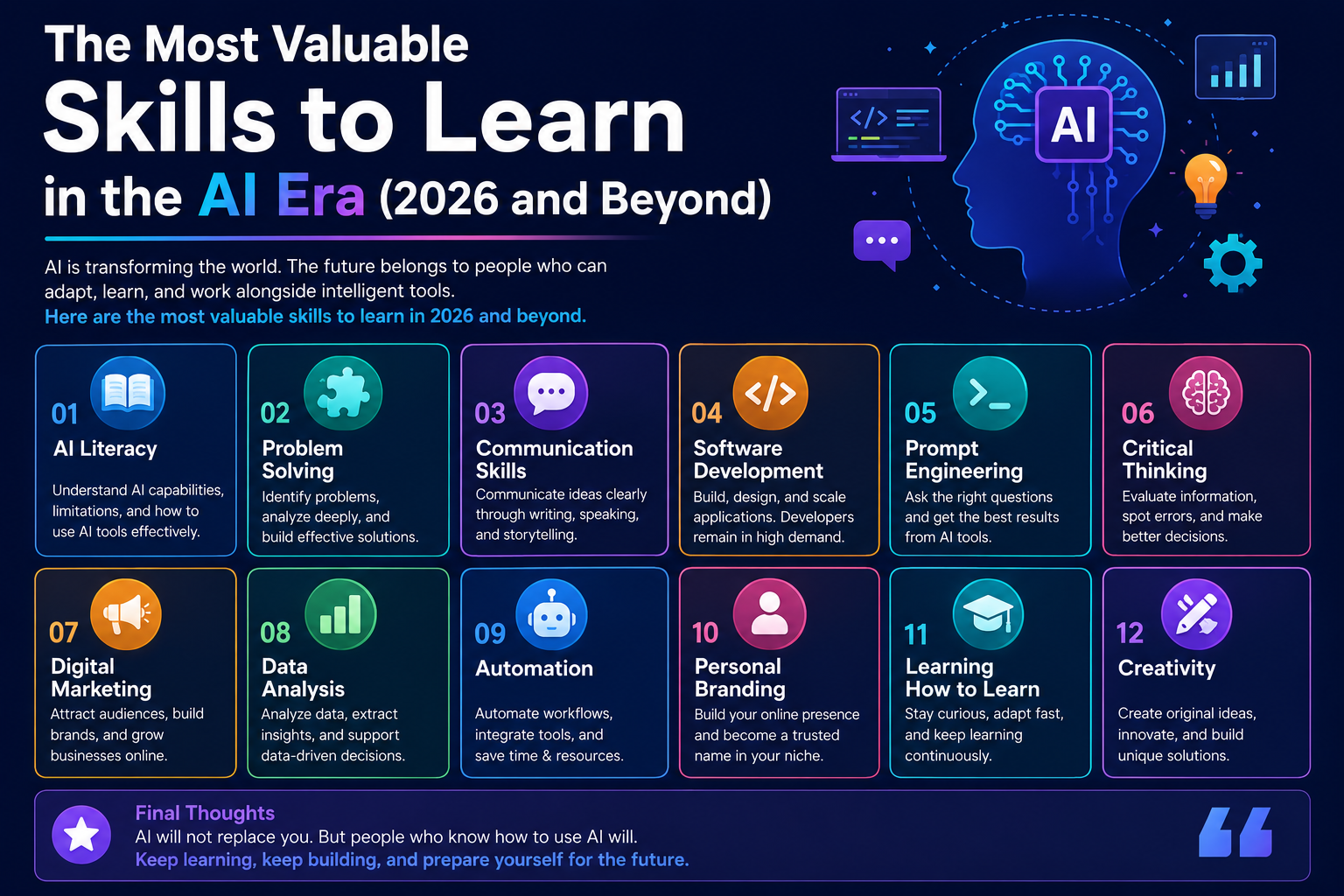
The Most Valuable Skills to Learn in the AI Era (2026 and Beyond)
Artificial Intelligence is changing how we work, learn, and build products. Some skills are becoming less valuable, while others are becoming more important than ever. If you want to stay relevant and thrive in 2026 and beyond, these are the skills you should focus on developing.
4 min read · 331 views
Programming
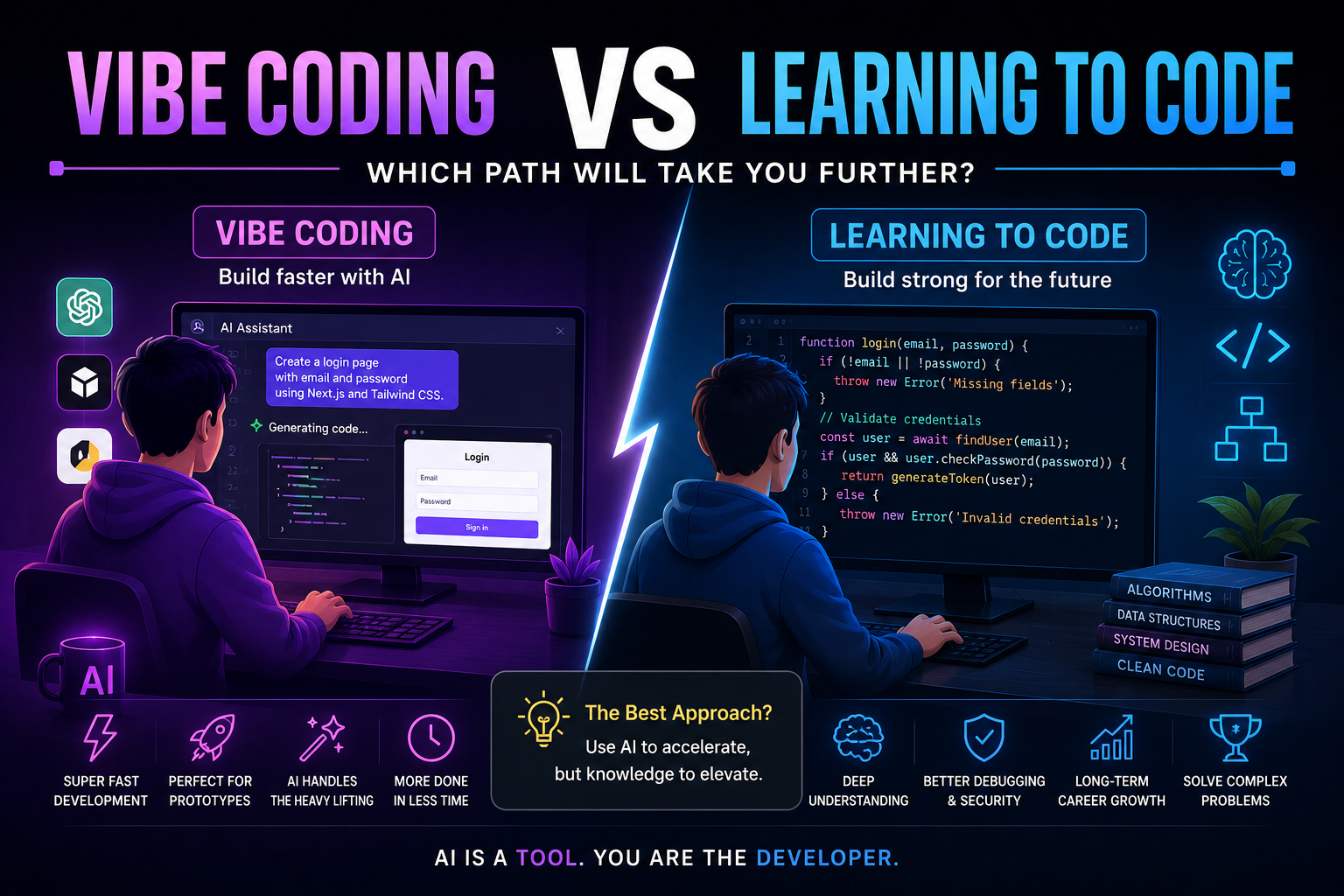
Vibe Coding vs Learning to Code: Which Path Will Take You Further?
AI can build apps faster than ever, leading to the rise of "vibe coding." But does that mean learning to code is no longer necessary? Let's explore the strengths, weaknesses, and future of both approaches to discover which path offers the greatest long-term value.
4 min read · 277 views
Trending
Popular Posts
Productivity Tools That Save Developers Hours in 2026
681 views
The Most Valuable Skills to Learn in the AI Era (2026 and Beyond)
331 views
Vibe Coding vs Learning to Code: Which Path Will Take You Further?
277 views
Next.js 16 Features Every Developer Should Know in 2026
192 views
The Best Folder Structure for Next.js Projects in 2026
152 views
Comments
No approved comments yet.