JavaScript
Understanding Closures the Easy Way
By Yahya Saeed · 5 min read · 56 views
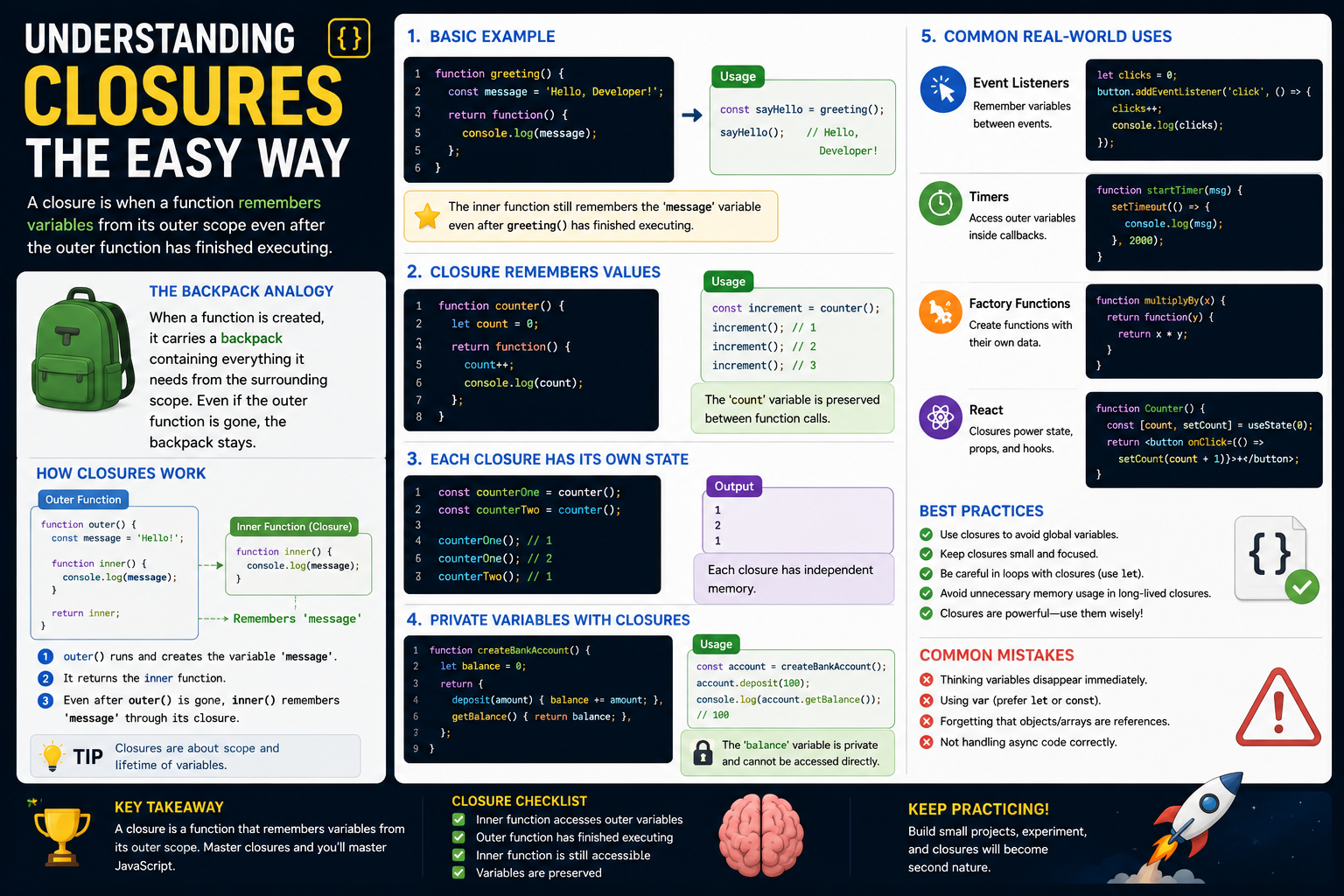
Understanding Closures the Easy Way
If you've been learning JavaScript for a while, you've probably heard people say:
"You must understand closures."
That sounds intimidating.
In reality, closures aren't magic.
They're simply a natural result of how JavaScript functions and scope work.
Once you understand the basic idea, closures become one of the most useful tools in your JavaScript toolbox.
In this guide, we'll break closures down into simple concepts, practical examples, and real-world use cases.
No complicated explanations.
Just closures the easy way.
What Is a Closure?
A closure happens when an inner function remembers variables from an outer function, even after the outer function has finished running.
That sounds complicated.
Let's see it in action.
function greeting() {
  const message = "Hello, Developer!";

  return function () {
    console.log(message);
  };
}

const sayHello = greeting();

sayHello();
Output:
Hello, Developer!Notice something interesting.
The greeting() function has already finished.
Normally, you might expect the message variable to disappear.
But it doesn't.
The returned function still remembers it.
That's a closure.
Why Does This Happen?
Every function creates its own scope.
Normally, variables inside that scope disappear when the function finishes.
Closures are different.
If another function still needs those variables, JavaScript keeps them alive.
The inner function "closes over" the outer variables.
That's where the name closure comes from.
A Simple Analogy
Imagine a backpack.
When a function is created, it carries a backpack containing everything it needs from the surrounding scope.
Even if the outer function finishes, the backpack stays with the inner function.
Whenever that function runs again, it opens the backpack and accesses those stored values.
That's essentially how closures work.
Closures Remember Values
Consider this example.
function counter() {
  let count = 0;

  return function () {
    count++;

    console.log(count);
  };
}

const increment = counter();

increment();
increment();
increment();
Output:
1
2
3
The count variable isn't recreated every time.
The closure remembers its current value.
This ability to preserve state is one of the biggest reasons closures are so useful.
Each Closure Has Its Own State
Let's create two counters.
const counterOne = counter();

const counterTwo = counter();

counterOne();
counterOne();

counterTwo();
Output:
1
2
1
Each closure has its own independent memory.
They don't interfere with each other.
Closures and Private Variables
Closures allow you to create private data.
function createBankAccount() {
  let balance = 0;

  return {
    deposit(amount) {
      balance += amount;
    },

    getBalance() {
      return balance;
    },
  };
}
Usage:
const account = createBankAccount();

account.deposit(100);

console.log(account.getBalance());
Output:
100The balance variable cannot be modified directly from outside the function.
That's data privacy created using closures.
Closures in Event Listeners
Closures appear frequently in browser development.
const button = document.querySelector("button");

let clicks = 0;

button.addEventListener("click", () => {
  clicks++;

  console.log(clicks);
});
Every click updates the same clicks variable.
The event handler remembers it because of a closure.
Closures in Timers
Example:
function startTimer(message) {
  setTimeout(() => {
    console.log(message);
  }, 2000);
}

startTimer("Finished!");
Even after startTimer() ends, the callback still remembers message.
Another closure.
Closures in React
React uses closures constantly.
Example:
function Counter() {
  const [count, setCount] = useState(0);

  function increase() {
    setCount(count + 1);
  }

  return (
    <button onClick={increase}>
      {count}
    </button>
  );
}
The increase() function remembers the count variable from its surrounding scope.
Closures make React components possible.
Closures in Async Code
Closures also appear with asynchronous code.
function fetchUser(name) {
  setTimeout(() => {
    console.log(name);
  }, 1000);
}

fetchUser("John");
The callback remembers the name variable even after fetchUser() finishes.
Closures and Factory Functions
Factory functions often rely on closures.
function createMultiplier(multiplier) {
  return function (number) {
    return number * multiplier;
  };
}
Usage:
const double = createMultiplier(2);

const triple = createMultiplier(3);

console.log(double(5));

console.log(triple(5));
Output:
10
15
Each returned function remembers its own multiplier.
Common Beginner Mistake
Many beginners think variables disappear immediately after a function ends.
Usually they do.
But if an inner function still references them, JavaScript keeps them alive.
That's exactly what closures are.
Closures vs Global Variables
Instead of using globals:
let score = 0;You can safely encapsulate data:
function createScore() {
  let score = 0;

  return {
    increase() {
      score++;
    },

    value() {
      return score;
    },
  };
}
This prevents accidental changes from other parts of your application.
Benefits of Closures
Closures provide many advantages.
They allow you to:
Preserve state.
Create private variables.
Build reusable functions.
Avoid global variables.
Create factory functions.
Simplify callbacks.
Build modular code.
They're a fundamental part of modern JavaScript.
When Are Closures Created?
A closure is created whenever:
A function is defined inside another function.
The inner function accesses variables from the outer scope.
The inner function continues to exist after the outer function finishes.
These conditions happen far more often than many developers realize.
Are Closures Slow?
Not at all.
Closures are a normal part of JavaScript.
Modern JavaScript engines optimize them extremely well.
Only in very unusual situations do closures create noticeable performance concerns.
For everyday applications, they're completely safe to use.
Common Real-World Uses
You'll encounter closures in:
Event listeners
React components
Vue components
Svelte applications
Timers
Promises
Async callbacks
Factory functions
Authentication
API utilities
Custom hooks
State management
Even if you don't intentionally create closures, you're probably already using them.
How to Master Closures
The best way to learn closures isn't memorization.
It's practice.
Try building:
Counters
Timers
Todo apps
Shopping carts
Form validation
Modal components
Authentication helpers
The more you write JavaScript, the more natural closures become.
A Simple Way to Remember Closures
Whenever you see a function inside another function, ask yourself:
"Is the inner function using variables from the outer function?"
If the answer is yes...
You're looking at a closure.
Final Thoughts
Closures often seem mysterious because of the way they're explained.
In reality, they're simply JavaScript remembering variables that an inner function still needs.
Once you understand that idea, many advanced JavaScript concepts suddenly become much easier to learn.
Don't think of closures as an advanced feature reserved for experts.
Think of them as a natural part of how JavaScript works.
Master closures, and you'll have a much stronger understanding of functions, scope, asynchronous programming, React, and modern JavaScript as a whole.
Keep reading
Related Posts

Career & Technology
The Most Valuable Skills to Learn in the AI Era (2026 and Beyond)
Artificial Intelligence is changing how we work, learn, and build products. Some skills are becoming less valuable, while others are becoming more important than ever. If you want to stay relevant and thrive in 2026 and beyond, these are the skills you should focus on developing.
4 min read · 330 views

Programming
Vibe Coding vs Learning to Code: Which Path Will Take You Further?
AI can build apps faster than ever, leading to the rise of "vibe coding." But does that mean learning to code is no longer necessary? Let's explore the strengths, weaknesses, and future of both approaches to discover which path offers the greatest long-term value.
4 min read · 276 views

Next.js
Next.js 16 Features Every Developer Should Know in 2026
Next.js 16 continues to push modern web development forward with improved performance, better developer experience, enhanced routing, and powerful server-side capabilities. Whether you're building a blog, SaaS platform, portfolio, or enterprise application, these are the most important Next.js 16 features every developer should understand.
4 min read · 191 views
Trending
Popular Posts
Productivity Tools That Save Developers Hours in 2026
680 views
The Most Valuable Skills to Learn in the AI Era (2026 and Beyond)
330 views
Vibe Coding vs Learning to Code: Which Path Will Take You Further?
276 views
Next.js 16 Features Every Developer Should Know in 2026
191 views
The Best Folder Structure for Next.js Projects in 2026
151 views
Comments
No approved comments yet.