SaaS & Startups
The Biggest Lessons I Learned Building SaaS Apps
By Yahya Saeed · 11 min read · 56 views
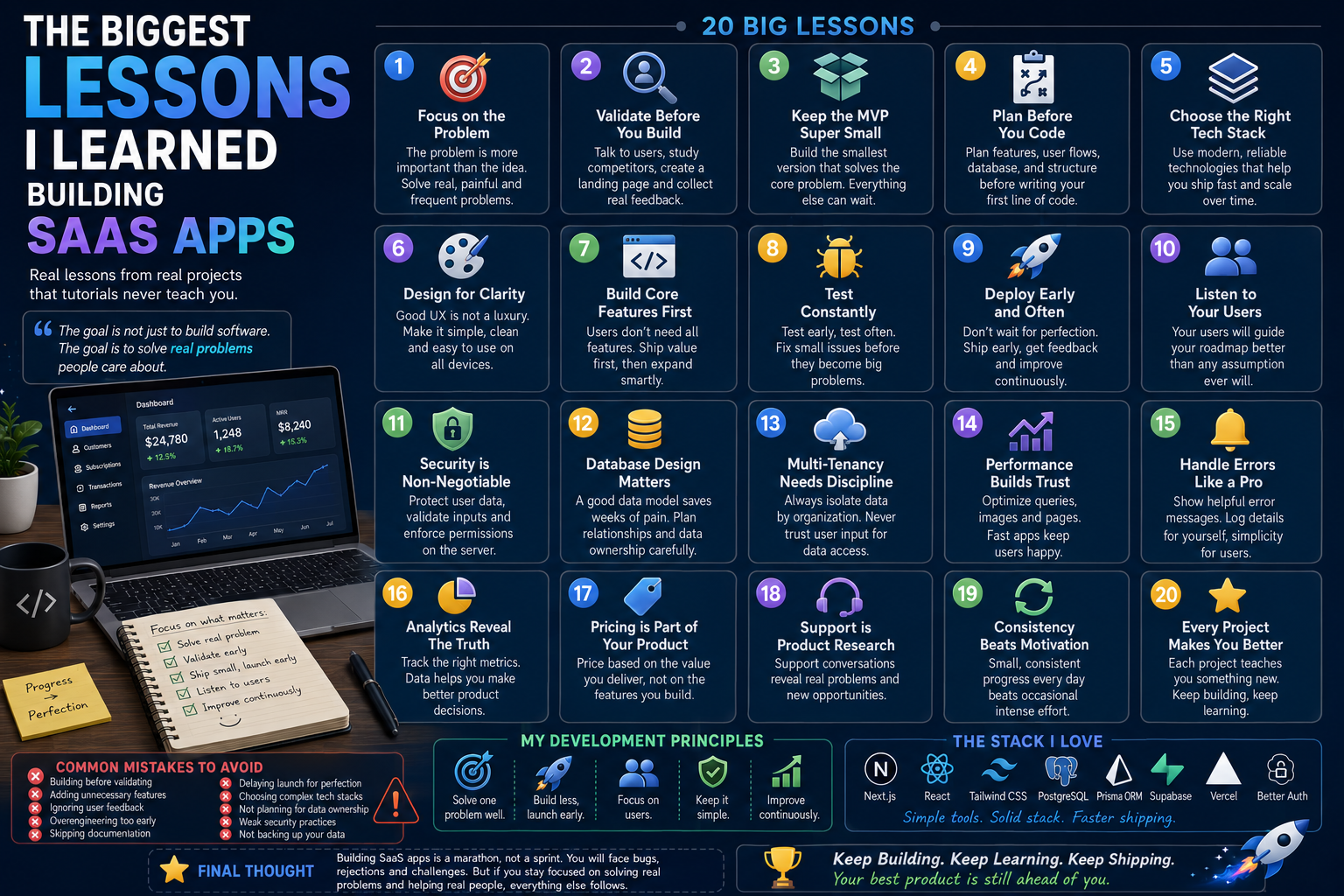
The Biggest Lessons I Learned Building SaaS Apps
Building a SaaS application looks straightforward from the outside.
Find an idea.
Write the code.
Launch the product.
Get customers.
Earn recurring revenue.
But once you actually start building, you quickly discover that SaaS is about much more than programming.
You must understand users, define the right features, design reliable systems, handle authentication, manage data, fix unexpected bugs, deploy updates, and convince people that your product is worth using.
Every project teaches lessons that no course or tutorial can fully explain.
Some lessons come from successful decisions.
Others come from mistakes, wasted time, confusing architecture, and features that should never have been built.
These are the biggest lessons I learned while building SaaS applications.
The Idea Is Less Important Than the Problem
I used to believe a successful SaaS needed a completely original idea.
It doesn't.
Most successful products are improved versions of solutions that already exist.
What matters is whether the problem is:
Real
Frequent
Painful
Expensive
Worth solving
A simple product that solves an important problem is more valuable than an innovative product nobody needs.
The first question should not be:
Is this idea unique?
It should be:
Does this solve a problem people genuinely care about?
Validation Should Come Before Development
Developers naturally want to begin coding.
Creating databases, dashboards, components, and APIs feels productive.
But coding before validation can lead to months of wasted effort.
Before building, I now try to understand:
Who has the problem?
How are they solving it today?
What frustrates them about existing solutions?
How frequently does the problem occur?
Would they pay for a better solution?
A few honest conversations with potential users can be more valuable than several weeks of development.
Validation does not guarantee success, but it significantly reduces the risk of building something nobody wants.
Build for a Specific Audience
Trying to serve everyone makes product decisions much harder.
A generic ledger application may struggle to stand out.
A ledger designed specifically for clinics, wholesalers, repair shops, or small retailers has a clearer purpose.
A specific audience helps define:
The language used in the product
The most important features
The pricing
The onboarding process
The marketing message
The best places to find customers
The narrower the initial audience, the easier it becomes to understand and serve them.
You can always expand later.
The MVP Must Be Smaller Than You Think
My first version of an idea often contains too many features.
Authentication.
Multiple roles.
Advanced reports.
Notifications.
Exports.
Custom settings.
Mobile support.
Dark mode.
AI tools.
Most of these features are not necessary to test whether the core idea works.
A useful MVP should answer one question:
Will people use this product to solve the main problem?
Everything that does not help answer that question can usually wait.
The first version should be useful, reliable, and focused not large.
More Features Do Not Automatically Create More Value
Adding features feels like progress.
But every feature creates additional work:
More code
More testing
More bugs
More documentation
More support
More maintenance
More complexity for users
A feature is valuable only when it helps customers achieve a meaningful result.
Before adding something new, I ask:
Has a user requested it?
Does it solve an important problem?
Will it improve retention?
Will it save users time or money?
Does it support the product's main purpose?
A smaller, focused product is often stronger than a large, confusing one.
Database Design Matters Earlier Than Expected
In a SaaS application, the database is not just storage.
It represents how the entire business works.
Poorly designed relationships can create problems throughout the application.
Important questions should be considered early:
Can one user belong to multiple organizations?
Can an organization contain multiple members?
Who owns each customer or transaction?
What happens when a user leaves an organization?
How should permissions be represented?
Should records be deleted or archived?
How will activity history be preserved?
Changing a button later is easy.
Changing a weak data model after users have created thousands of records is much harder.
Planning the database carefully saves enormous amounts of future work.
Multi-Tenant SaaS Requires Clear Data Ownership
When building software for multiple businesses, every record must belong to the correct workspace or organization.
A customer, transaction, report, or reminder should never be retrieved using only its ID.
The application must also verify its organization ownership.
For example, a secure query should confirm both:
The requested record
The authorized organization
This prevents users from viewing or changing data that belongs to another customer.
Multi-tenancy is not simply adding an organizationId column.
It affects:
Queries
Authorization
Server actions
APIs
Reports
File storage
Invitations
Billing
Clear data ownership must be part of the architecture from the beginning.
Authentication Is Not the Same as Authorization
Authentication confirms who the user is.
Authorization determines what that user is allowed to do.
A logged-in user should not automatically have permission to:
Edit every record
Delete an organization
Manage billing
Invite team members
View another workspace
Change administrative settings
Permissions must be checked on the server for every protected action.
Hiding a button in the frontend is not security.
The server must always verify access before reading or modifying sensitive data.
User Experience Is Part of the Product
A technically powerful application can still fail if users find it confusing.
People should not need documentation to complete basic tasks.
Good SaaS interfaces provide:
Clear navigation
Simple forms
Helpful labels
Useful empty states
Visible loading feedback
Understandable error messages
Consistent buttons and layouts
Every additional step creates friction.
When a workflow feels complicated, the best solution is often not another explanation.
It is simplifying the workflow itself.
Empty States Are More Important Than They Look
Developers usually design screens using existing data.
Real users often see the product with no data at all.
A new account may have:
No customers
No transactions
No reports
No team members
No notifications
No activity history
A blank screen can make the product feel broken.
A good empty state should explain:
What belongs on the screen
Why nothing is there yet
What the user should do next
For example:
No customers yet. Add your first customer to begin tracking credit and payments.
Empty states are part of onboarding.
Error Messages Should Help Users Recover
Technical error messages are useful for developers but frustrating for users.
Messages such as:
PrismaClientKnownRequestError
or:
Request failed with status code 500
do not tell the user what to do.
A better message might say:
We could not save this transaction. Please check the information and try again.
The application should log technical details internally while showing clear, useful guidance to the user.
Good error handling builds trust.
Real-World Data Reveals Unexpected Problems
Test data is usually clean.
Real-world data is not.
Users may enter:
Extra spaces
Duplicate names
Missing phone numbers
Very large amounts
Old transaction dates
Unusual characters
Incorrect formats
Similar records
Applications must be designed for imperfect input.
Validation, normalization, sensible defaults, and clear constraints become increasingly important after launch.
Money Requires Special Attention
Financial applications require careful handling of amounts.
Using ordinary floating-point calculations can produce unexpected results.
For example, values that should remain exact may develop tiny rounding errors.
When working with money:
Use decimal database types.
Define clear rounding rules.
Store currency information.
Format values consistently.
Test partial payments carefully.
Avoid mixing currencies accidentally.
Small calculation errors can quickly damage user trust.
Deployment Is Part of Development
A project working locally does not mean it is production-ready.
Deployment introduces new challenges:
Environment variables
Database connection limits
Build errors
Migration management
File storage
Authentication callbacks
Domain configuration
Production logging
Deploying early helps reveal these problems before the product becomes too large.
I now prefer deploying a basic version early rather than waiting until everything is finished.
Managed Services Save Valuable Time
Solo developers have limited time.
Building every part of the infrastructure from scratch is rarely the best use of it.
Managed services can simplify:
Databases
Authentication
File storage
Email delivery
Payments
Analytics
Deployment
Tools such as Supabase, PostgreSQL, Vercel, and established authentication libraries allow developers to focus on the actual product.
Using services is not a weakness.
It is often the fastest way to build something reliable.
Simple Technology Is Usually Better
It is tempting to use every modern tool in one project.
But each additional technology creates:
More configuration
More documentation to learn
More integration points
More opportunities for failure
A simple, familiar stack usually helps you ship faster.
For most SaaS applications, a focused stack such as Next.js, PostgreSQL, Prisma, Supabase, and Tailwind CSS is already powerful enough.
The best technology is not necessarily the newest.
It is the technology that helps you deliver and maintain the product confidently.
Overengineering Delays Learning
It is easy to build systems for future problems that may never appear.
Examples include:
Complex microservices for a small MVP
Advanced caching before users exist
Enterprise permission systems for one account type
Large abstraction layers around simple operations
Infrastructure designed for millions of users
Scalability matters, but premature complexity slows progress.
Build a clean foundation.
Solve current problems well.
Improve the architecture when real usage creates a reason to do so.
Testing the Main Workflow Matters Most
Complete automated test coverage may not be realistic for every early-stage product.
But the main user journey must work reliably.
For example:
Create an account.
Complete onboarding.
Create a customer.
Add a transaction.
View the updated balance.
Generate a report.
Log out and return later.
If the core workflow fails, secondary features do not matter.
Testing should prioritize the actions that create the product's main value.
Security Cannot Be Added at the End
Security affects the entire application architecture.
Important practices include:
Server-side authorization
Input validation
Secure sessions
Protected secrets
Database constraints
Rate limiting
Safe file uploads
Regular dependency updates
Backups
Security does not mean making an application impossible to attack.
It means reducing risk, protecting user data, and limiting the impact of failures.
Backups Matter Before You Need Them
Developers often think about backups only after something goes wrong.
By then, it may be too late.
A production SaaS should have a plan for:
Database backups
File storage backups
Restoration testing
Accidental deletion
Failed migrations
A backup that has never been restored is only an assumption.
Reliability includes being able to recover.
Launching Is Only the Beginning
Finishing development is not the same as finishing the product.
After launch, new work begins:
Supporting users
Fixing bugs
Improving onboarding
Monitoring performance
Studying analytics
Marketing
Collecting feedback
Updating dependencies
A SaaS product is never truly finished.
It continues evolving as users, technology, and business requirements change.
Marketing Must Start Before Launch
Developers often spend months building and only start thinking about customers when the product is ready.
That creates a difficult launch.
Marketing should begin while the product is being built.
Useful activities include:
Publishing related blog posts
Sharing development progress
Creating a waiting list
Talking to communities
Demonstrating early features
Collecting potential customer emails
An audience built before launch makes the first release much more meaningful.
Users Often Request Solutions, Not the Best Implementation
A customer may request a specific feature because that is the only solution they can imagine.
For example, a user might ask for another report when the real problem is difficulty finding information.
The better solution could be:
Improved search
Better filters
A redesigned dashboard
Automated alerts
Listen carefully to the problem behind the request.
You do not have to build every suggested feature exactly as described.
Support Conversations Are Product Research
Customer support is not only about fixing problems.
It is one of the best sources of product insight.
Repeated questions reveal:
Confusing interfaces
Missing onboarding
Common workflow problems
Valuable feature opportunities
Incorrect assumptions
If several users struggle with the same thing, the product probably needs improvement.
Documentation alone may not be enough.
Retention Matters More Than Sign-Ups
A large number of registrations looks exciting.
But sign-ups do not create a sustainable SaaS if users never return.
More useful questions include:
Do users complete onboarding?
Do they reach the main value quickly?
Do they return the following week?
Which features keep them engaged?
Why do they cancel?
Acquisition brings people in.
Retention proves the product is valuable.
Pricing Is Part of Product Design
Pricing should not be decided randomly after development.
It affects:
The target audience
Included features
Usage limits
Support expectations
Product positioning
Revenue sustainability
Charging too little can make the business difficult to maintain.
Charging too much without clear value can prevent adoption.
Pricing should reflect the value the product creates, not merely the amount of code it contains.
Consistency Beats Motivation
Building a SaaS takes longer than expected.
Motivation changes from day to day.
A consistent routine is more dependable.
Even small sessions can produce meaningful results when repeated:
One bug fixed
One customer conversation
One improved screen
One article published
One feature completed
Progress compounds.
A product built steadily is more likely to launch than one developed through occasional bursts of excitement.
AI Can Speed Up Development, but Judgment Still Matters
AI tools can help with:
Boilerplate code
Debugging
Documentation
Refactoring
Testing
UI ideas
Explaining unfamiliar code
But AI does not automatically understand:
The customer's real problem
The business model
Security requirements
Product priorities
Long-term architecture
AI can accelerate execution.
The developer must still provide direction, review, and judgment.
Every Project Makes the Next One Easier
The first SaaS project may feel overwhelming.
You must learn everything at once.
But each completed project creates reusable knowledge:
Authentication patterns
Database structures
UI components
Deployment processes
Validation methods
Security checks
Product decisions
Eventually, you stop beginning from zero.
You begin with experience.
That is one of the greatest rewards of consistently building real products.
The Principles I Follow Now
After building SaaS applications, these are the principles I try to follow:
Solve a real problem.
Validate before building.
Choose a specific audience.
Keep the MVP small.
Design data ownership carefully.
Enforce permissions on the server.
Deploy early.
Listen to users.
Prioritize reliability.
Market before launch.
Improve continuously.
Keep the stack simple.
These principles do not remove every challenge.
They make the challenges easier to manage.
Final Thoughts
Building SaaS applications taught me that code is only one part of creating a successful product.
The hardest decisions usually involve understanding what to build, what not to build, who to build it for, and when to launch.
A technically impressive application can fail if it solves the wrong problem.
A simple application can succeed if it makes someone's work easier every day.
The biggest lesson is not that every project will become a successful business.
It is that every serious project teaches you how to build better products.
Start with a real problem.
Build the smallest useful solution.
Launch before it feels perfect.
Listen carefully to users.
Then improve one meaningful thing at a time.
That is how better SaaS products and better developers are built.
Keep reading
Related Posts
Developer Tools
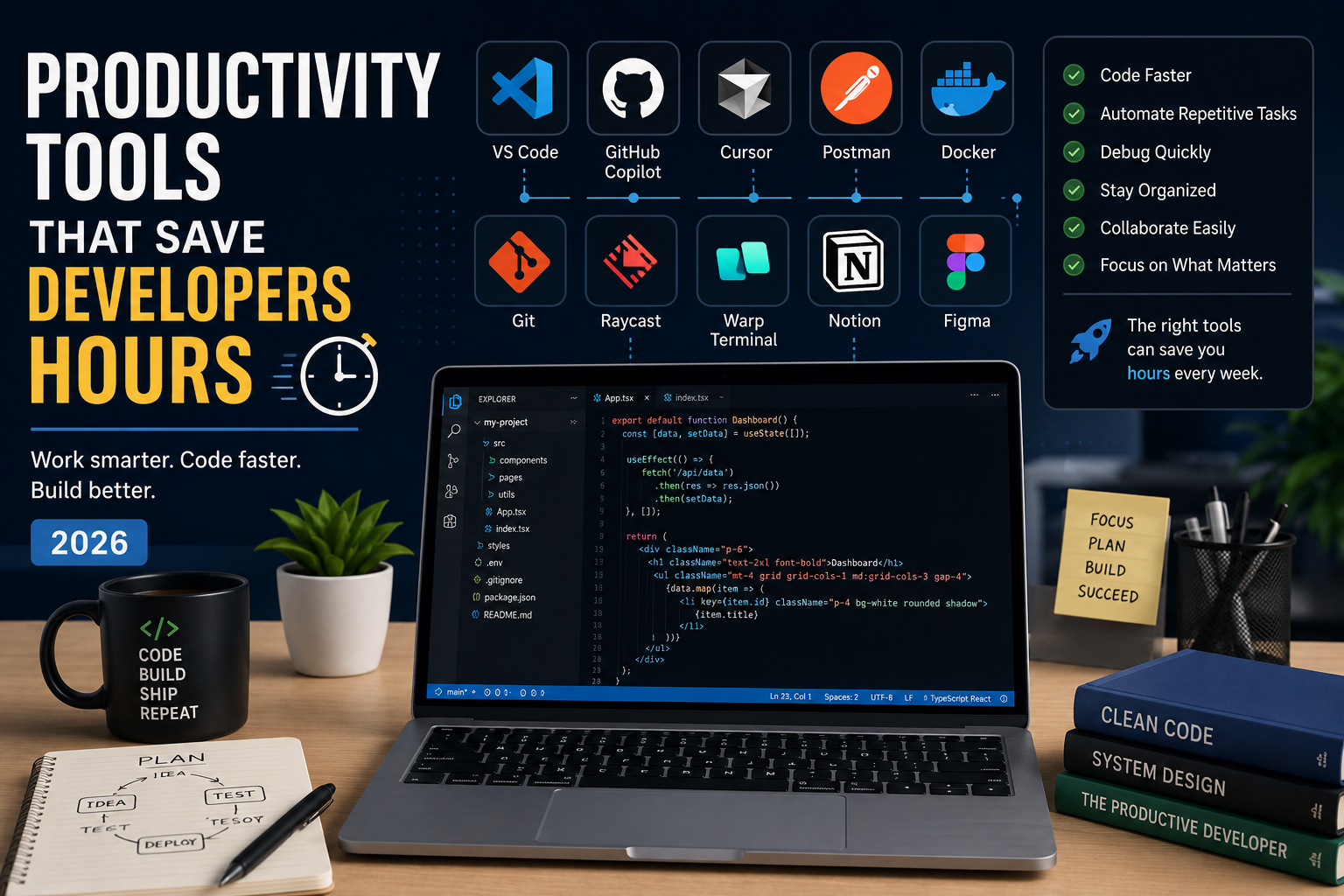
Productivity Tools That Save Developers Hours in 2026
The best developers aren't just fast—they use the right tools. From AI coding assistants to terminal upgrades and API testing platforms, these productivity tools can save developers hours every week and help them focus on building great software instead of repetitive tasks.
4 min read · 681 views
Career & Technology
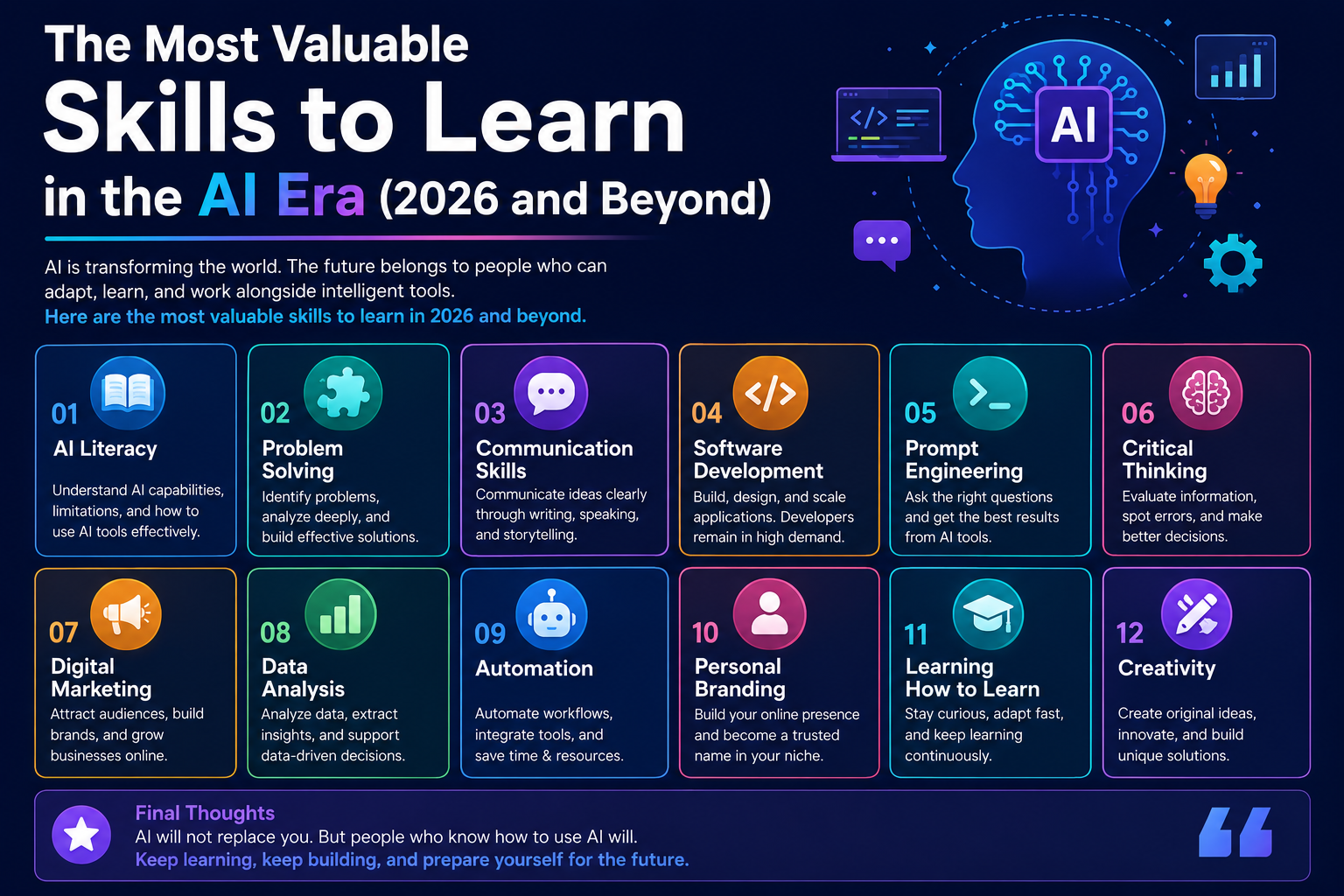
The Most Valuable Skills to Learn in the AI Era (2026 and Beyond)
Artificial Intelligence is changing how we work, learn, and build products. Some skills are becoming less valuable, while others are becoming more important than ever. If you want to stay relevant and thrive in 2026 and beyond, these are the skills you should focus on developing.
4 min read · 331 views
Programming
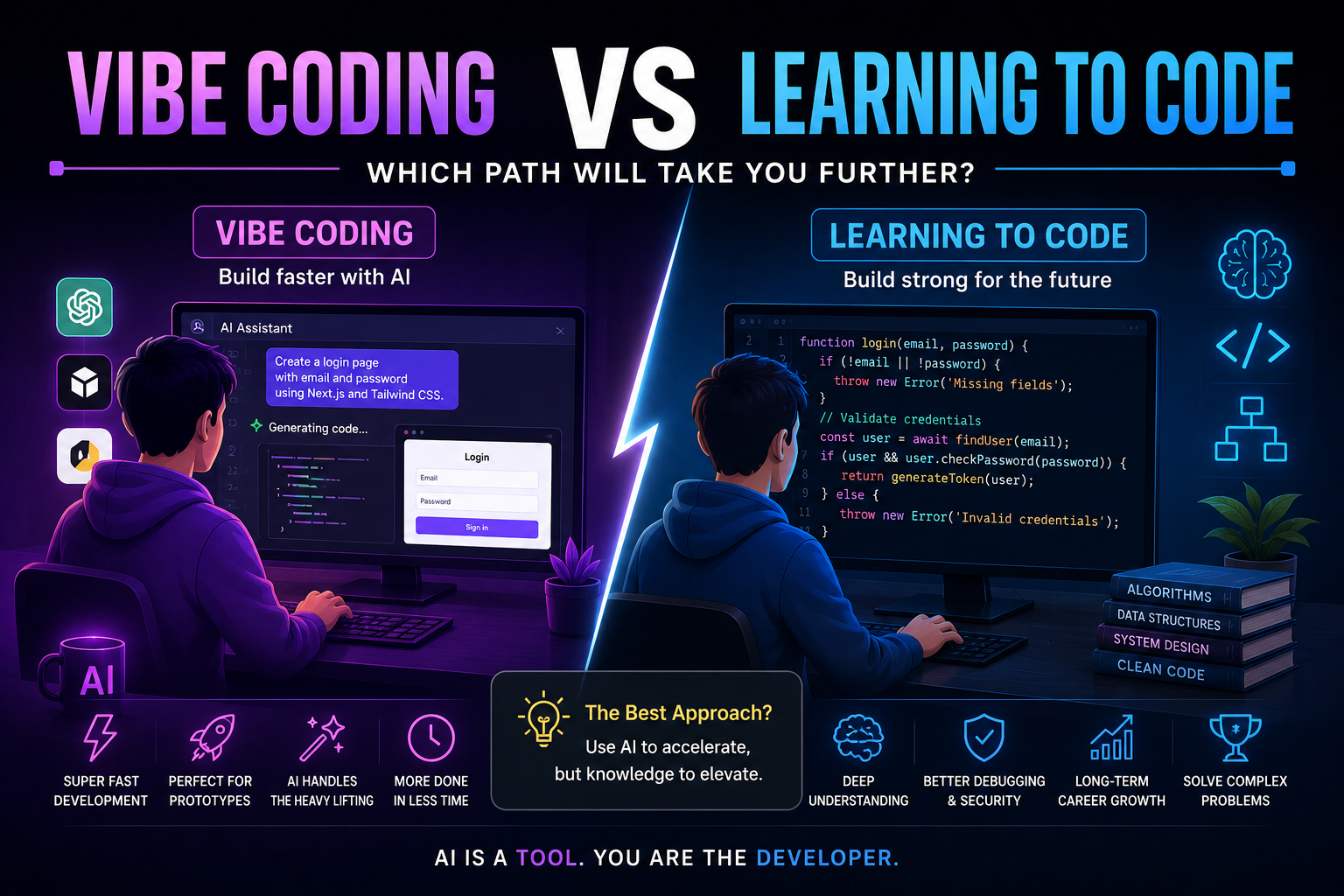
Vibe Coding vs Learning to Code: Which Path Will Take You Further?
AI can build apps faster than ever, leading to the rise of "vibe coding." But does that mean learning to code is no longer necessary? Let's explore the strengths, weaknesses, and future of both approaches to discover which path offers the greatest long-term value.
4 min read · 277 views
Trending
Popular Posts
Productivity Tools That Save Developers Hours in 2026
681 views
The Most Valuable Skills to Learn in the AI Era (2026 and Beyond)
331 views
Vibe Coding vs Learning to Code: Which Path Will Take You Further?
277 views
Next.js 16 Features Every Developer Should Know in 2026
192 views
The Best Folder Structure for Next.js Projects in 2026
152 views
Comments
No approved comments yet.